No!, You can use our in-house Payment gateway system, Hytix Payment Gateway.
Hytix Payments Benefits
A quick and paperless process to open an account.
No monthly fee to keep your account active. Plus, no hidden fees.
Weekly payout in time.
Highly reliable card swiper with Bluetooth connectivity that accepts all...EMV chip, contactless and swipe payments.
Advance fraud control with ML & AI.
Greatly minimize the chargeback occurrence AND with a higher winnability ratio.
3D Secure payment.
It identifies risks and places those orders in review, notifies you immediately, and provides you the opportunity to approve/decline the order.
It offers all the latest features with 2.99% per transaction. (Standard industry rate).
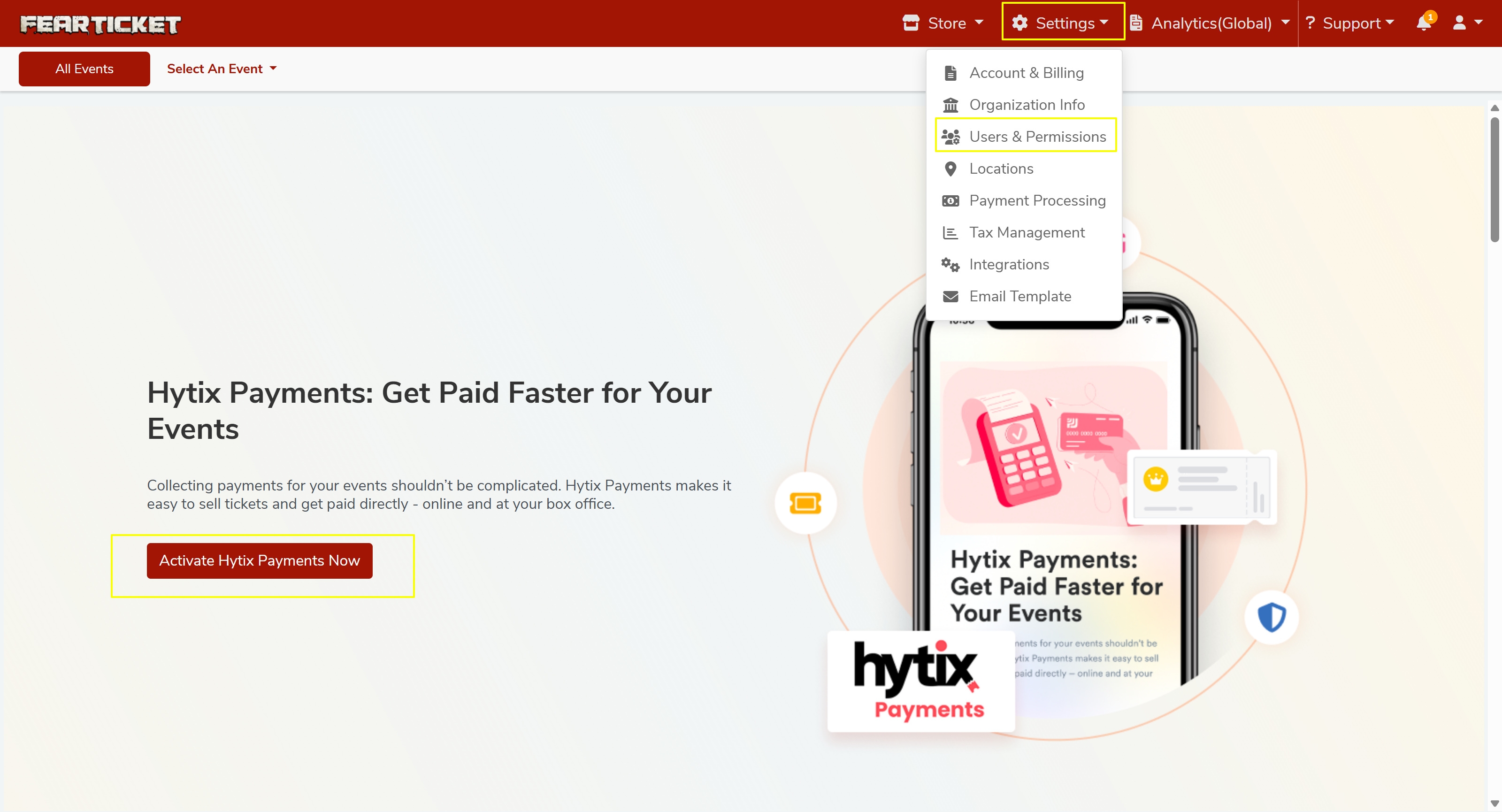
To create your Hytix Payment Gateway account,Click on "Settings" in the top right corner.
Select "Payment Processing."
Hytix Payments (Recommended)
The easiest way to get started is by activating Hytix Payments our built-in payment solution. Click Activate Hytix Payments Now on the Payment Processing screen.
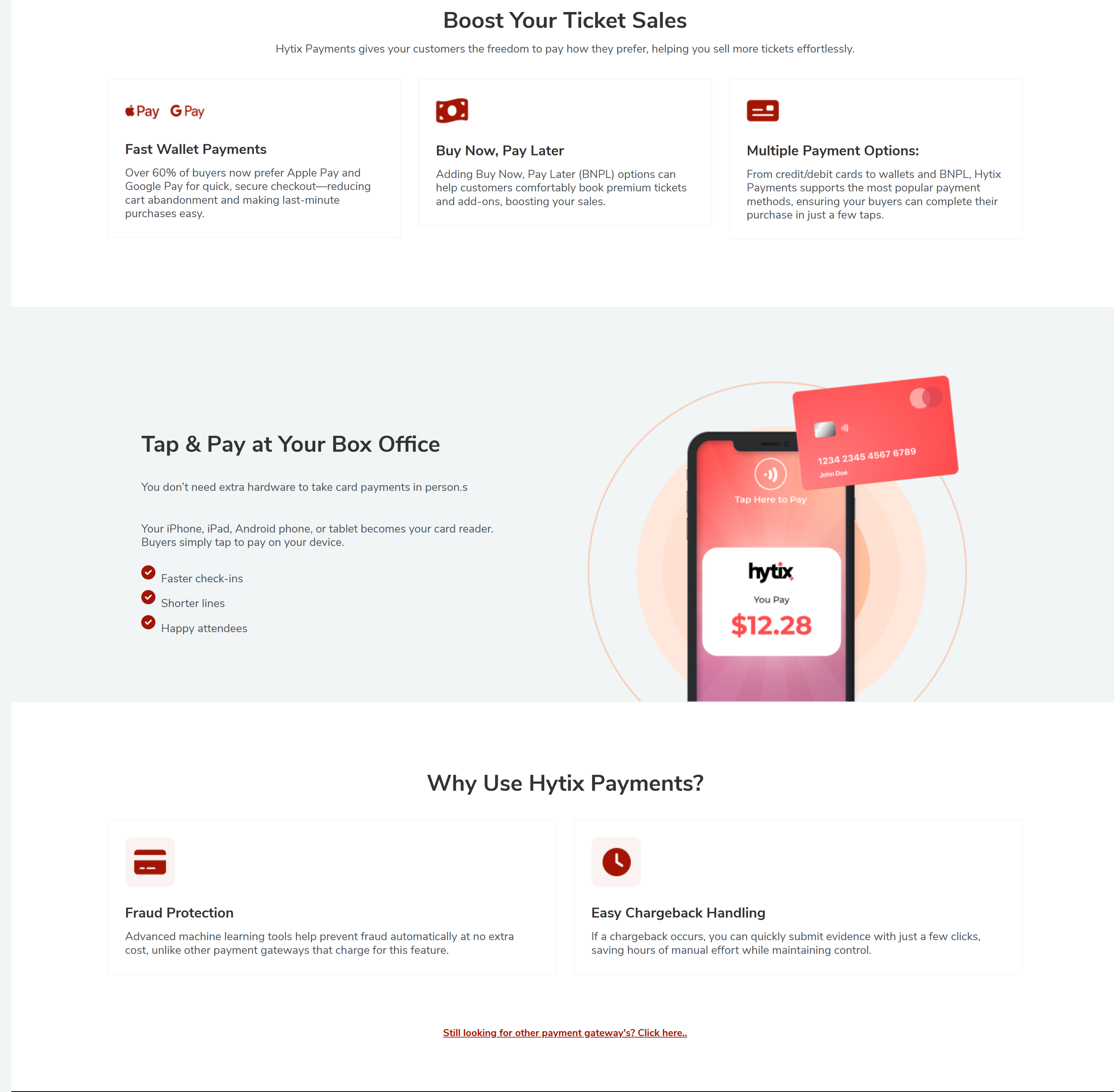
Hytix Payments supports multiple payment options to help you sell more tickets:
Fast Wallet Payments Supports Apple Pay and Google Pay for quick, secure checkout, reducing cart abandonment and making last-minute purchases easy.
Buy Now, Pay Later BNPL options help customers comfortably book premium tickets and add-ons, boosting your sales.
Multiple Payment Options Accepts credit/debit cards, wallets, and BNPL so buyers can complete purchases in just a few taps.
Choose "Setup HYTIX Payment" on the new page.
Enter the Label and Statement Descriptor for your payment gateway account, then click "Next."
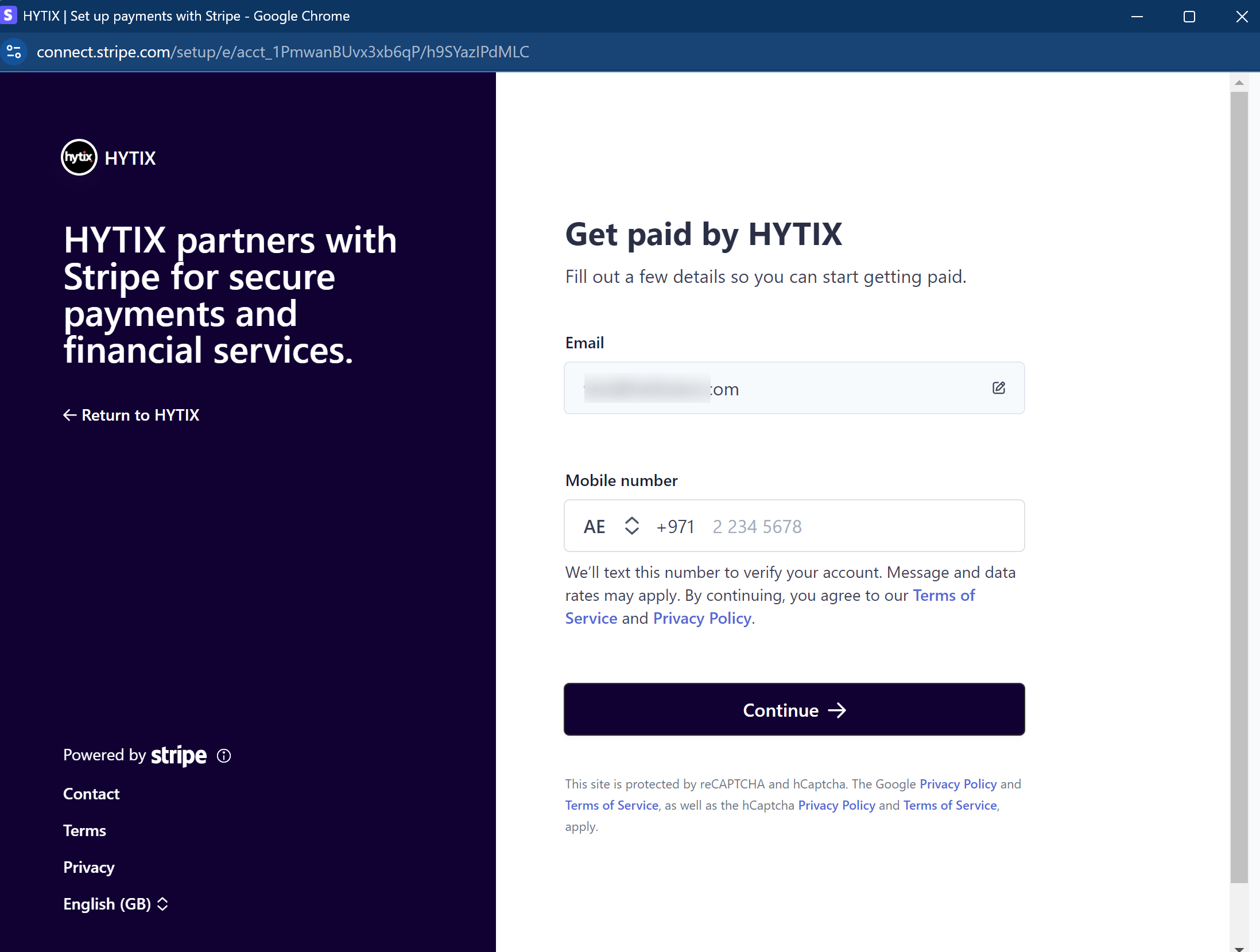
Enter your Email Address and Mobile Number, then click "Continue."
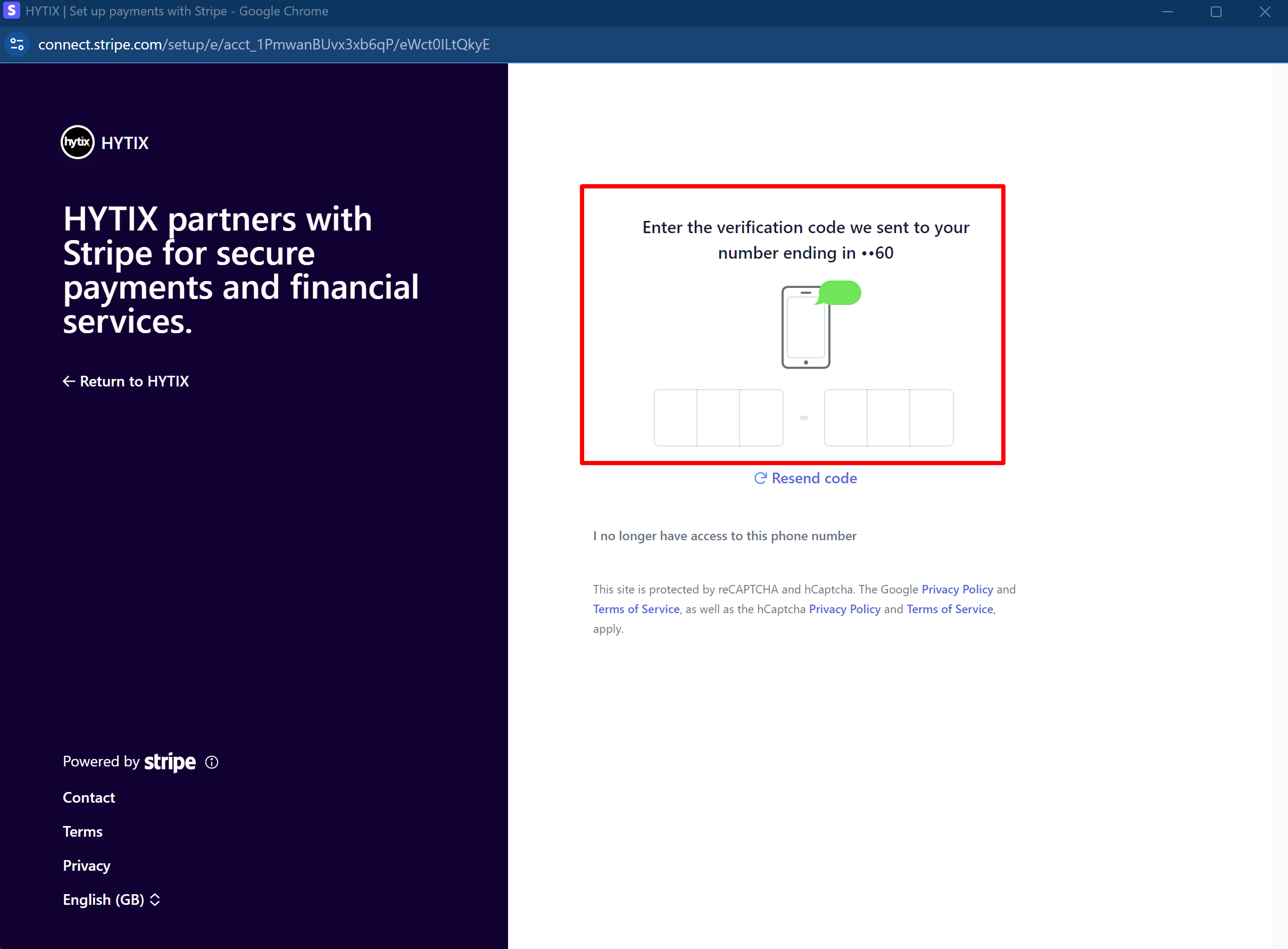
A 6-digit verification code will be sent to your mobile number; enter the code to proceed.
Select the type of account: Individual, Business, or Non-Profit Organization.
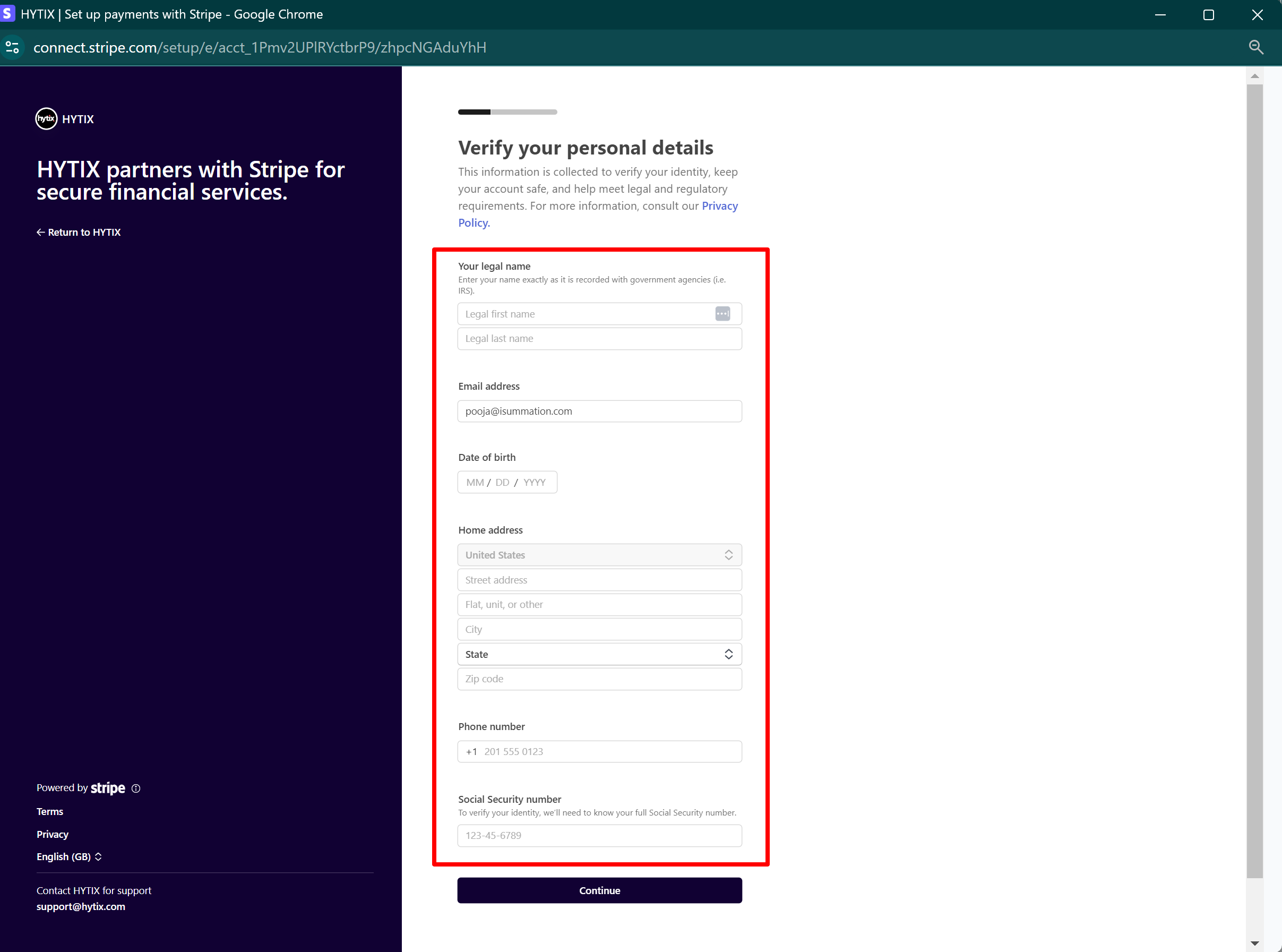
A form will open, fill in your personal details, and click "Continue."
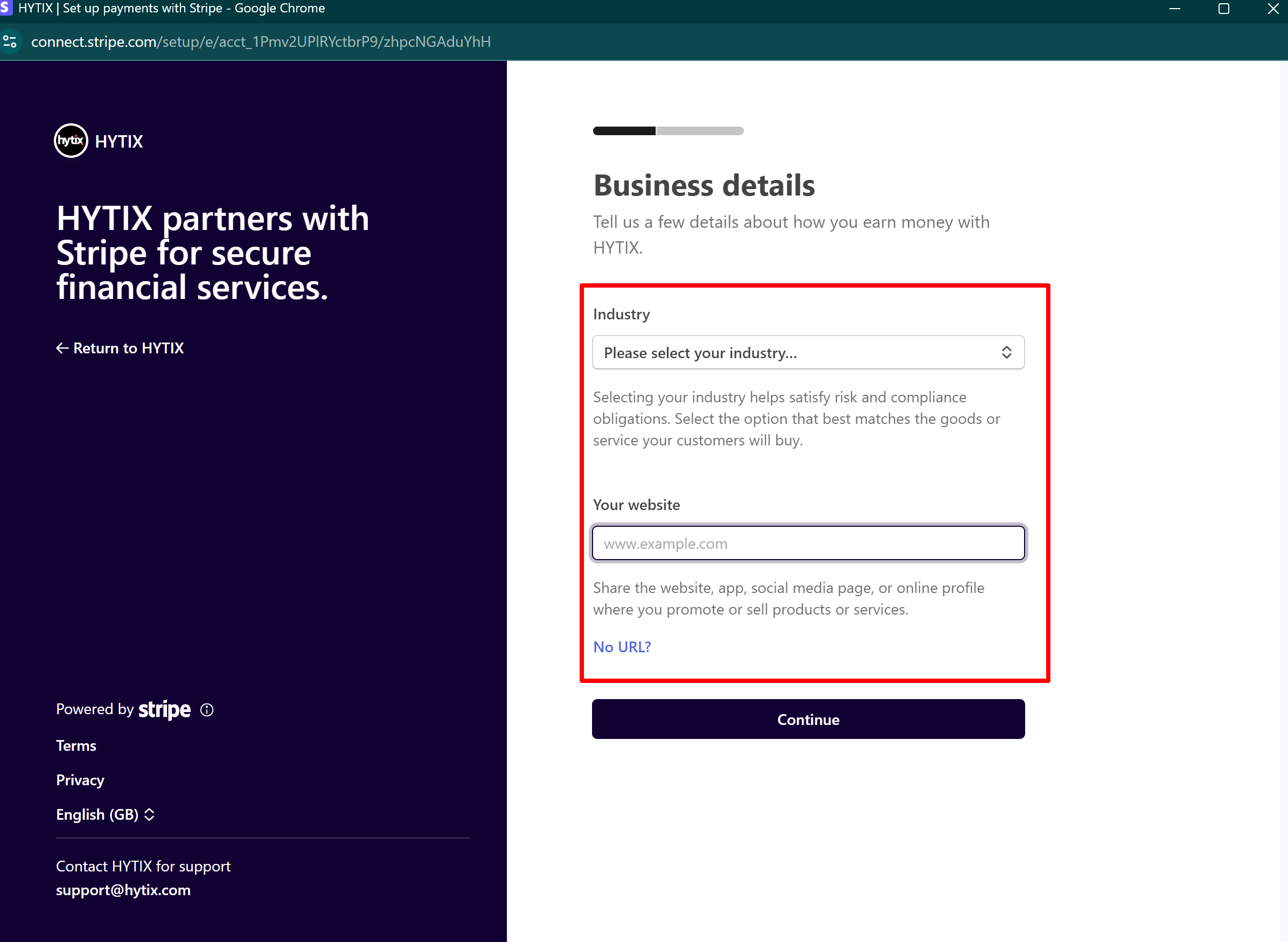
On the next page, provide your business information, including your industry and website, and click "Continue."
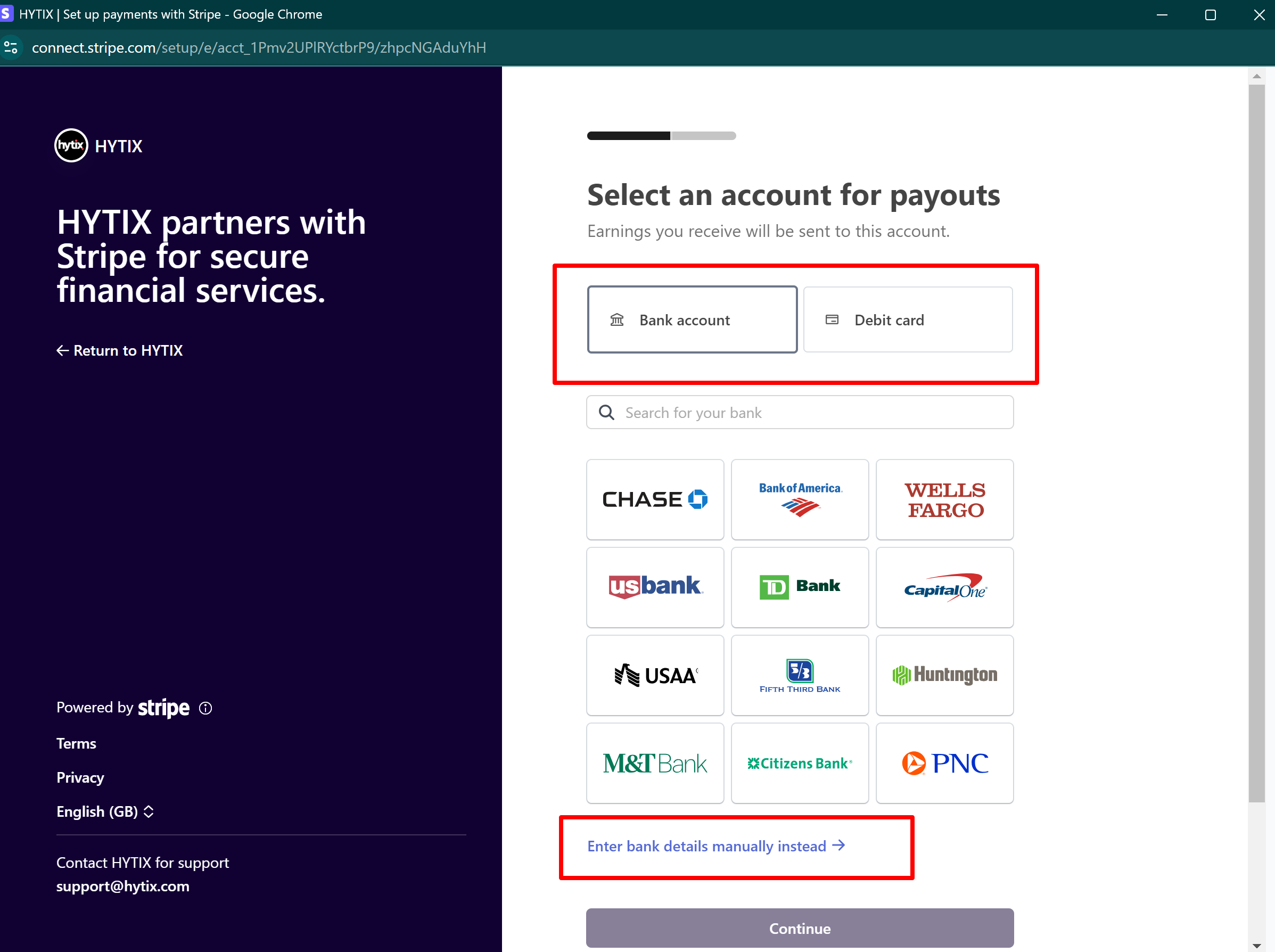
Select your bank account for payouts or enter your bank details manually. You can also enter your Debit Card information instead.
Review the information for accuracy and submit your application.
Using a Third-Party Payment ProcessorIf you prefer to use your own merchant account, a 1% upfront fee applies per order. Supported processors are Stripe, Square, Authorize.net, CardConnect.


Click to know about supported payment gateway account on FEARTICKET
Was this article helpful?
That’s Great!
Thank you for your feedback
Sorry! We couldn't be helpful
Thank you for your feedback
Feedback sent
We appreciate your effort and will try to fix the article