FEARTICKET is "Do it yourself" online with below steps or First Time FEARTICKET Team may help you to setup your full account with events and tickets designing :
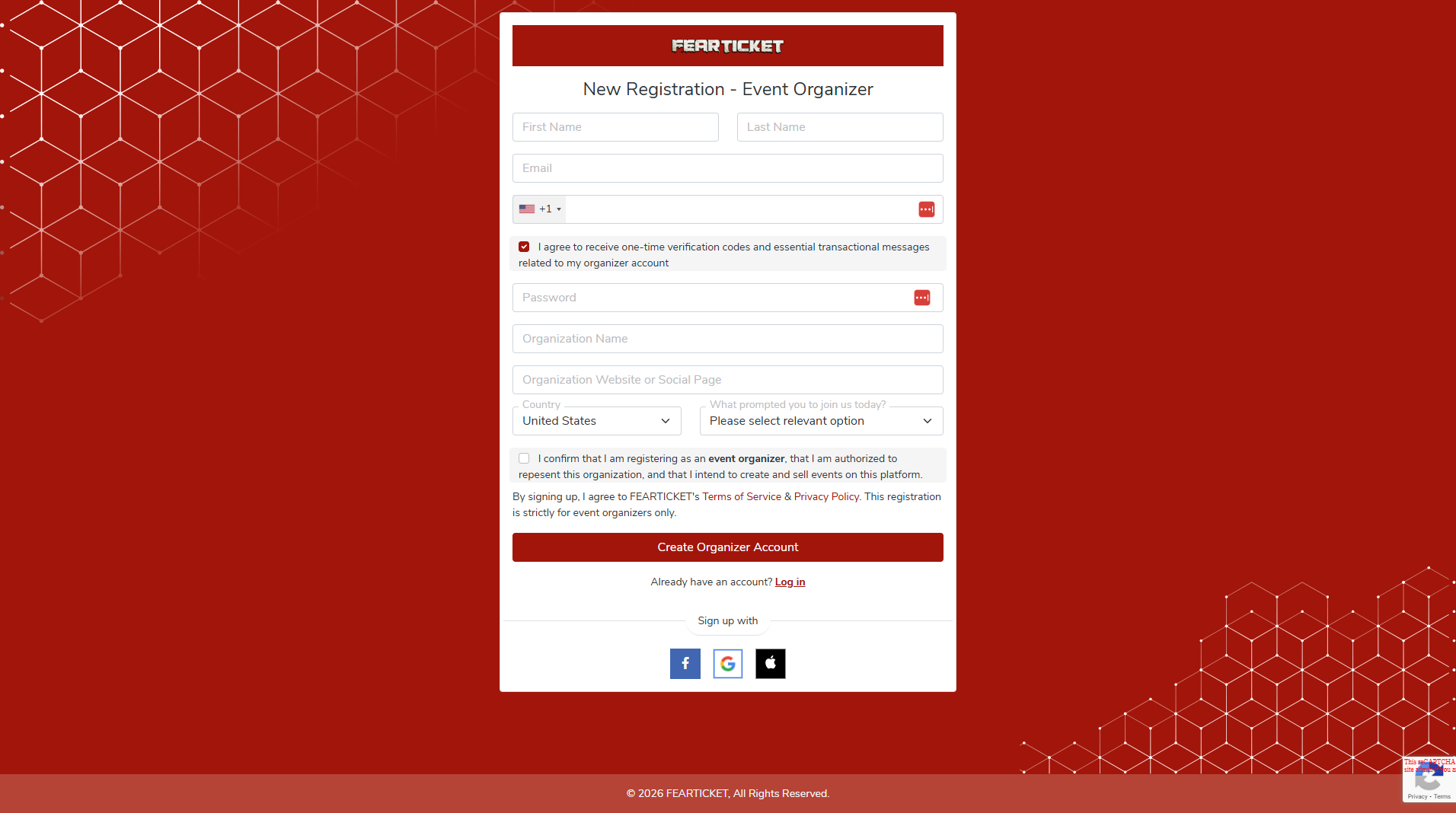
- Create your free account. Go to the FEARTICKET registration page and complete the New Registration – Event Organizer form:
- First Name
- Last Name
- Mobile Number (country code selector + phone number)
- Checkbox: I agree to receive one‑time verification codes and essential transactional messages related to my organizer account
- Password
- Organization Name
- Organization Website or Social Page
- Country (dropdown)
- What prompted you to join us today? (dropdown)
- Confirm organizer agreement: Check the box: “I confirm that I am registering as an event organizer, that I am authorized to represent this organization, and that I intend to create and sell events on this platform.”
Review and accept FEARTICKET’s Terms of Service & Privacy Policy. This registration is strictly for event organizers only.
- Create your organizer account
Click Create Organizer Account to finish registration.
If you already have an account, click Log in instead of registering again.
- Optional: Sign up with social login
You can also sign up using your Facebook, Google, or Apple account by clicking the respective icon at the bottom of the form.
Next > How to get Merchant Account with supported payment gateway?
Was this article helpful?
That’s Great!
Thank you for your feedback
Sorry! We couldn't be helpful
Thank you for your feedback
Feedback sent
We appreciate your effort and will try to fix the article