- Event Organizers set up their own payment processing account to receive the online ticketing payment directly from their customers, So FEARTICKET does not take anything out of it, Organizers to set up a credit card to pay the ticketing fee before making the event live for ticketing.
- FEARTICKET system will generate an Invoice of the ticketing fee weekly on each Monday and will charge a credit card upon invoice generation. Once the event is ended the final settlement invoice will be generated.
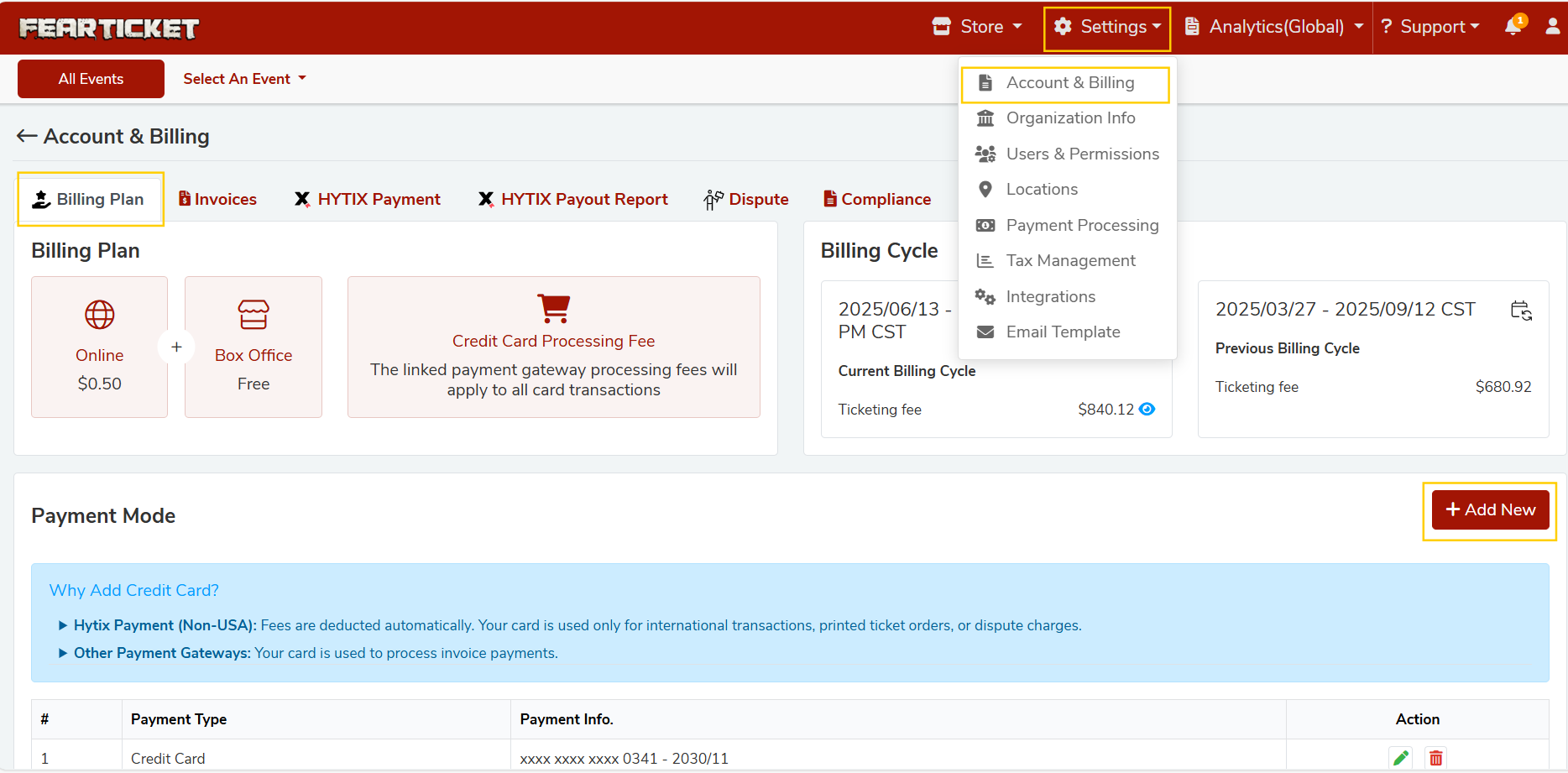
- You must add a credit card as the default payment method under Settings > Account & Billing > Billing Plan > Payment Mode before making your event live, so FEARTICKET can charge ticketing fees and any invoice payments.
- From your organizer dashboard, click Settings in the top navigation, then choose Account & Billing.
On the Account & Billing page:Review the Billing Plan section to see your Online fee, Box Office fee, and other billing details.
In the Billing Plan area, scroll down to Payment Mode and click + Add New.
Select Credit Card as the payment type, enter your card details, and click SAVE to set it as your default payment method.
- If you need help with your Billing Plan or Payment Mode setup, contact FEARTICKET Support from the Support menu in your organizer account or reach out via Email or Call.
Was this article helpful?
That’s Great!
Thank you for your feedback
Sorry! We couldn't be helpful
Thank you for your feedback
Feedback sent
We appreciate your effort and will try to fix the article