Web Widgets are ready-to-use “Buy Tickets” or “Book Your Experience” buttons that you can place on your own website. They act as a direct bridge between your website and your event’s ticketing page on Hytix/ FEARTICKET.
When a visitor clicks on the widget, they are instantly redirected to your event’s ticket purchase page that makes it easy for them to book tickets without searching for your event separately.
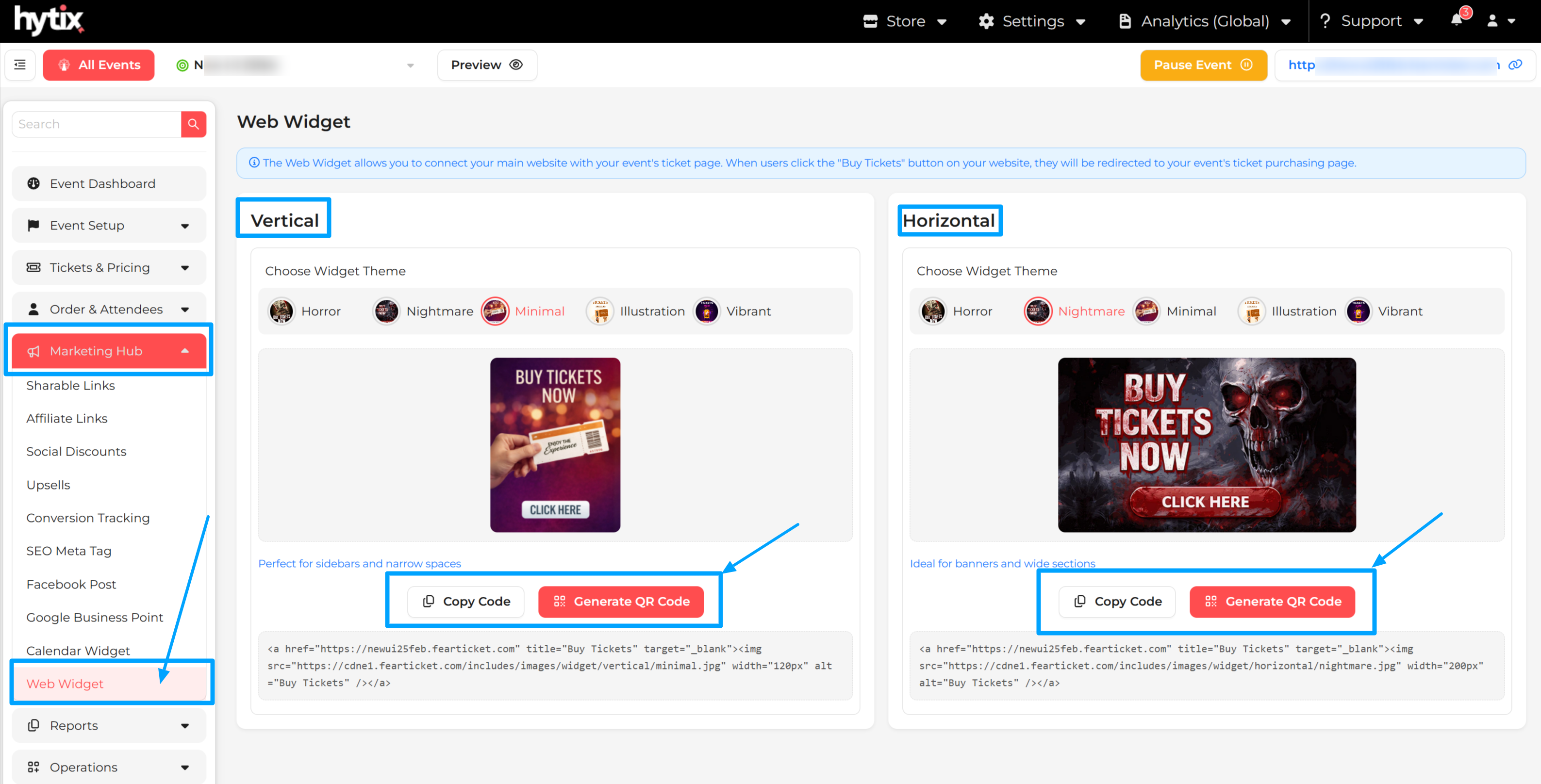
You can navigate to Marketing Hub> Web Widgets to get the widget.
How to Add a Web Widget to Your Website:
On this page you will see 5 different widget options. Each design is available in:
- Horizontal layout
- Vertical layout
Choose the one that fits your website.
Next, you can either Copy the Code or generate a QR code for the same widget. If you copied the code, then paste the copied code into your website’s HTML section You can add it to: Event pages, Homepage, or Landing pages, etc.
How the Widget Works:
- Visitor clicks on the widget
- They are redirected to your event ticket page
- They can book tickets instantly
Once the QR Code is generated, you can:
- Download only the QR code
- Download QR code with a ready-to-use template
How to Use It:
- Add it to posters, banners, or social media
- Users scan the code
- They are taken to your ticket booking page
Tips
- Place the widget where it’s easy to spot (top section or near event details)
- Use it on multiple pages to increase bookings
- Always test after adding it.
Was this article helpful?
That’s Great!
Thank you for your feedback
Sorry! We couldn't be helpful
Thank you for your feedback
Feedback sent
We appreciate your effort and will try to fix the article