FEARTICKET lets you reward buyers with free tickets once they purchase a certain quantity of a ticket type. With a BOGO – Buy N Get X rule, once someone's order reaches your quantity threshold, they automatically receive additional tickets at no charge. This is useful for group promotions, for example buy 4 General Admission tickets and get 1 free.
In Tickets & Pricing, click on Rule Builder. Under the template list, find BOGO - Buy N Get X and click Use this rule, as shown in the image below.

The BOGO – Buy N Get X template, found in the Rule Builder template list.
Setting the Condition
At the top you can still name the rule, and there's a checkbox for Stop processing further rules if this matches if you don't want other rules to run once this one applies.
The default condition comes pre-built with two rows. The first row lets you pick which ticket the rule watches, using an Is or Any of operator and a Select a ticket dropdown of your event's ticket types.
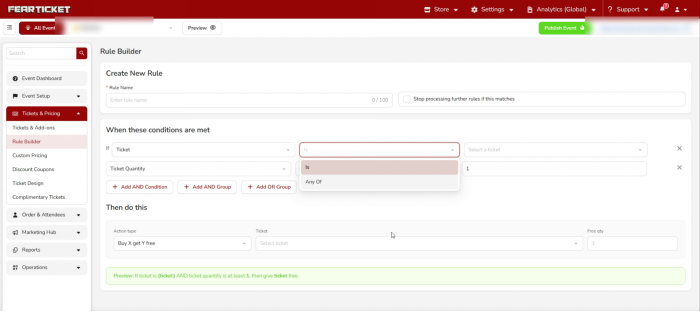
Choosing the operator and which ticket the rule watches.
The second row is the threshold itself: Ticket Quantity, an operator, and a number. This is what counts how many of that ticket are in the order before the free tickets kick in.
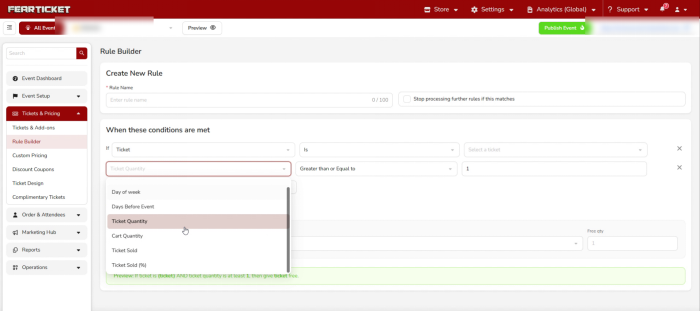
The field dropdown for the threshold row, with Ticket Quantity selected.
If you need more than a simple threshold, use Add AND Condition, Add AND Group, or Add OR Group below the condition rows to layer in extra logic.
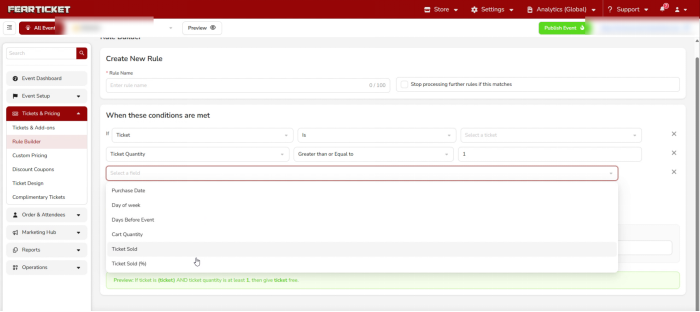
An extra condition row added with Add AND Condition.
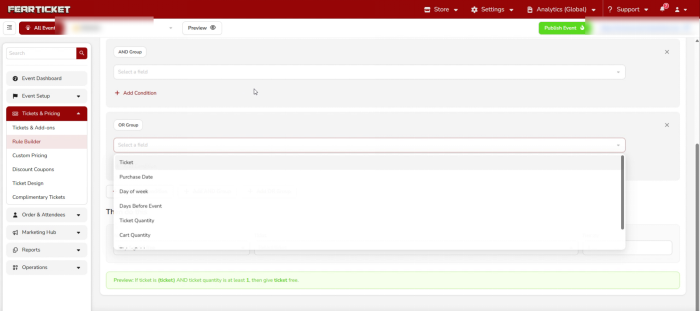
AND Group and OR Group blocks, used to combine or branch conditions further.
Setting the Action
Everything for what happens next lives in the Then do this section. The Action type is already set to Buy X get Y free for you, grouped under BOGO alongside the Pricing, Dependency, and Promotional action types available for other rules.
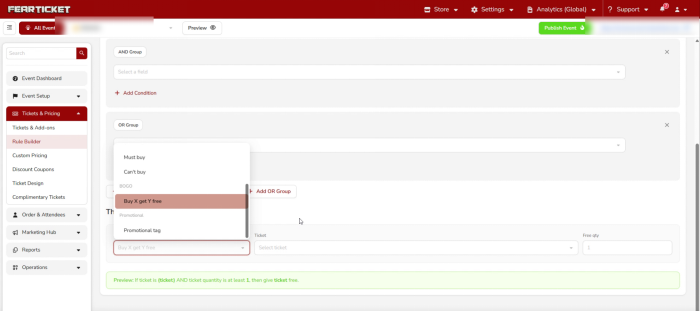
The Action type dropdown, with Buy X get Y free selected under the BOGO group.
Next to it, pick the Ticket the buyer must purchase to qualify, and set the Free qty, the number of free tickets they'll receive once the quantity condition is met.
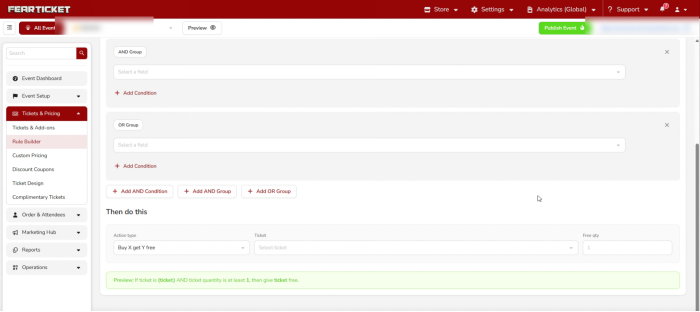
Setting the Ticket and Free qty fields in the Then do this section.
Reading the Preview Before You Save
FEARTICKET writes a plain English summary of the rule right above the Save button, and it updates automatically as you make your selections. For a basic Buy N Get X rule it would read:
If ticket is (ticket) AND ticket quantity is at least (number), then give (ticket) free.
Once the preview matches what you intended, click Save.
Example
If a buyer purchases 4 General Admission tickets, they automatically receive 1 more General Admission ticket free. Orders with fewer than 4 General Admission tickets are not affected.
Note: The free ticket is added automatically once the quantity condition is met, buyers don't need to enter a code or take any extra steps at checkout.
Was this article helpful?
That’s Great!
Thank you for your feedback
Sorry! We couldn't be helpful
Thank you for your feedback
Feedback sent
We appreciate your effort and will try to fix the article