What does the Event Dashboard show?
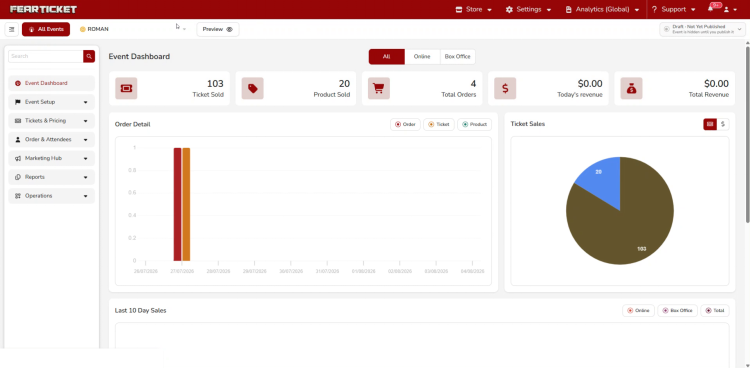
The Event Dashboard is the summary view for your event. It shows Tickets Sold, Products Sold, Total Orders, Today's Revenue, and Total Revenue at a glance, along with an Order Detail chart, a Ticket Sales breakdown, a Last 10 Day Sales chart, and a Recent Orders table.
How do I access the Event Dashboard?
1. Log in to your FEARTICKET organizer account.
2. Navigate to your event.
3. Click Event Dashboard at the top of the left sidebar.
Switching Between Online and Box Office
What does the Online / Box Office toggle do?
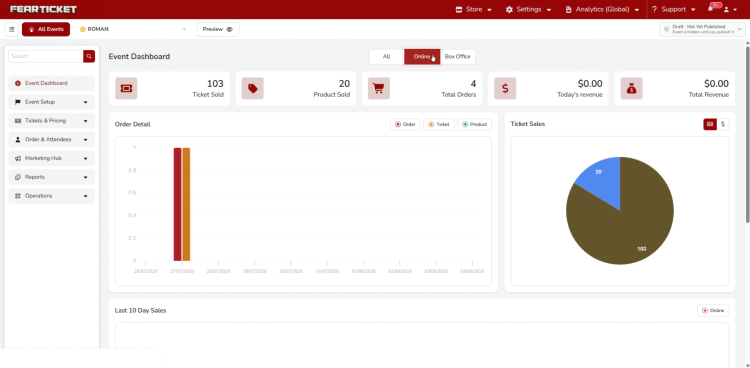
At the top of the Event Dashboard is a toggle with two options, Online and Box Office. This filters everything on the page, the stat cards, the Order Detail chart, the Ticket Sales chart, and the Last 10 Day Sales chart, down to just that selling channel.
What does the Online view show?
Online shows only sales made through your online store, so you can see how your website and online promotions are performing on their own, separate from onsite sales.
What does the Box Office view show?
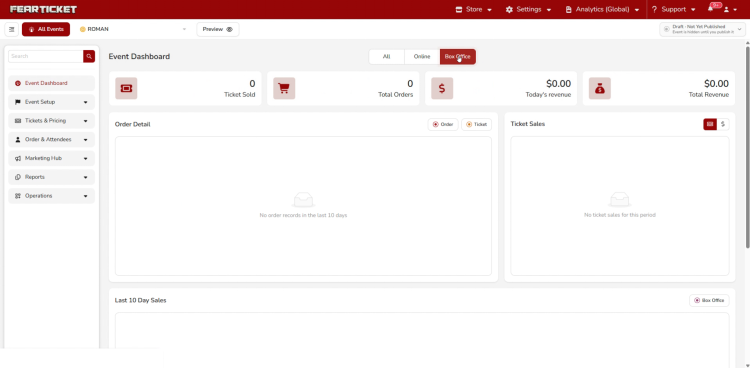
Box Office shows only sales made in person at your event, such as tickets sold at the door or through your onsite point of sale.
Why do some of the numbers show zero after I switch?
This is normal if there hasn't been any activity yet in the channel you're viewing. If there is no box office activity in the last 10 days, for example, you'll see No order records in the last 10 days and No ticket sales for this period in place of the charts, rather than a broken or empty graph.
Recent Orders
What is the Recent Orders table?
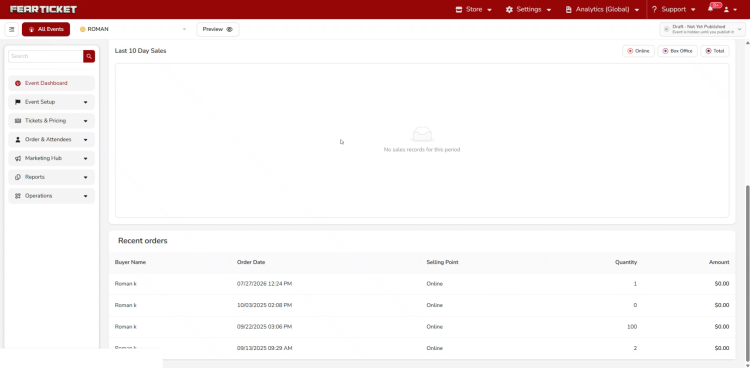
Below the charts, the Recent Orders table lists your most recent orders with the Buyer Name, Order Date, Selling Point, Quantity, and Amount for each one, so you can quickly spot the latest activity without leaving the dashboard.
Troubleshooting
The dashboard says "No sales records for this period." Does that mean something is broken?
No, this simply means there is no sales activity for the channel and time period currently selected. Try switching between Online and Box Office, or check back after your event has had more recent activity.
My Total Revenue on the dashboard doesn't match what I expected.
Double check whether you're viewing Online, Box Office, or the combined total. Revenue shown while filtered to one channel only reflects that channel, not your event's overall revenue.
Was this article helpful?
That’s Great!
Thank you for your feedback
Sorry! We couldn't be helpful
Thank you for your feedback
Feedback sent
We appreciate your effort and will try to fix the article